DITA OT Transformation
This type of transformation specifies the parameters for an Ant transformation that executes a DITA-OT build script. Oxygen XML Developer includes a built-in version of Ant and a built-in version of DITA-OT, but other versions can be set in the scenario.
- Use the
 Configure Transformation Scenario(s) (Ctrl + Shift
+ C (Command + Shift + C on OS X)) action from the
DITA Maps Manager toolbar, main toolbar, or the menu. Then click the New button and select
DITA OT Transformation.
Configure Transformation Scenario(s) (Ctrl + Shift
+ C (Command + Shift + C on OS X)) action from the
DITA Maps Manager toolbar, main toolbar, or the menu. Then click the New button and select
DITA OT Transformation. - Go to and select Transformation Scenarios to display this view. Click the
 New Scenario drop-down menu button and
select DITA OT Transformation.
New Scenario drop-down menu button and
select DITA OT Transformation.
Both methods open the DITA Transformation Type dialog box that presents the list of possible outputs.
Figure: DITA Transformation Type Dialog Box
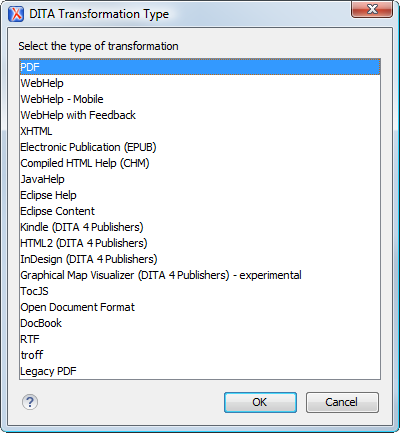
Select the desired type of output and click OK. This opens the New Scenario dialog box.
- Project Options - The scenario is stored in the project file and can be shared with other users. For example, if your project is saved on a source versioning/sharing system (CVS, SVN, Source Safe, etc.) or a shared folder, your team can use the scenarios that you store in the project file.
- Global Options - The scenario is saved in the global options that are stored in the user home directory and is not accessible to other users.
The lower part of the dialog box contains several tabs that allow you to configure the options that control the transformation. Some of these tabs are only available for certain output types (for example, a Skins tab is only available for WebHelp Classic and WebHelp Classic with Feedback output types, a Templates tab is available only for WebHelp Responsive and WebHelp Responsive with Feedback, and a FO Processor tab is available for PDF output).