Configure the Contextual Menu for a Framework
The contextual menu is displayed when you right-click in the Author editing area. You can only configure the bottom part of the menu, since the top part is reserved for a list of generic actions (such as Copy, Paste, Undo, etc.)
-
Follow
the same steps as explained in the Configuring the Main Menu, except changing the menu name because the contextual
menu does not have a name.
Note: You can choose to reuse a submenu that contains general authoring actions. In this case, all actions (both general and framework-specific ones) are grouped together under the same submenu.
Figure: Configuring the Contextual Menu
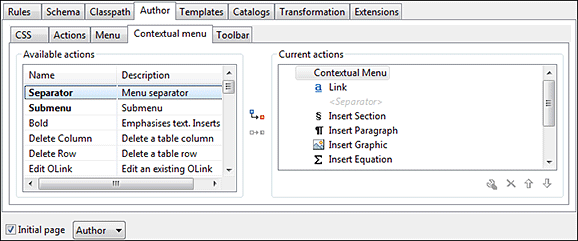
To test it, open the test file, and open the contextual menu. In the lower part there is shown the Table sub-menu and the Insert section action.