Configure the MathFlow EditorHistory | Edit
The MathFlow Components product (MathFlow SDK) can replace the default MathML editor with a specialized MathML editor. You have to purchase a MathFlow Component from Design Science and configure it in Oxygen XML Editor with the following procedure:
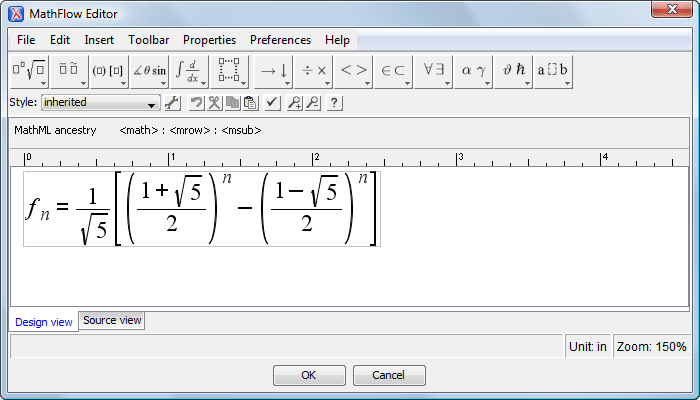
Figure: Default MathFlow Editor
- Install MathFlow Components (MathFlow SDK).
- On Windows make sure there is a copy of the FLEXlm DLL, which is the file [MathFlow-install-folder]/resources/windows/lmgr10.dll, in a folder that is added to the PATH environment variable.
- Set the path to the MathFlow install folder in the MathML preferences page.
- Set the path to the MathFlow license file in the MathML preferences page.