
AnnotationsEdit online
You may create generic comments or mark a particular document fragment as being inserted, deleted, or highlighted. The rendering in each of these cases will be different.
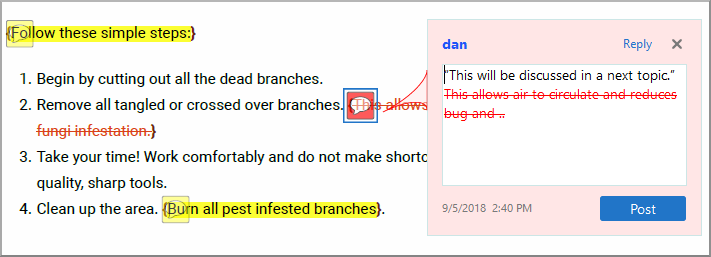
In the above image, commented sections are shown in yellow and deleted content is in red.
To create annotations in your PDF output, create a specific structure in your document. The child topics in this section contain information about how this structure could look like for XML documents and HTML documents.
If you want to use CSS rules to style the change elements as plain elements in the content,
you can disable the annotation processing using the command-line parameter:
-annotations-for-change-tracking-and-comments.