
Feedback SystemEdit online
The WebHelp Responsive with Feedback variant contains a Comments section at the bottom of each topic. This section is where you can interact with users through a comment system. For information about deploying a feedback-enabled system, see Deploying a Feedback-Enabled System.
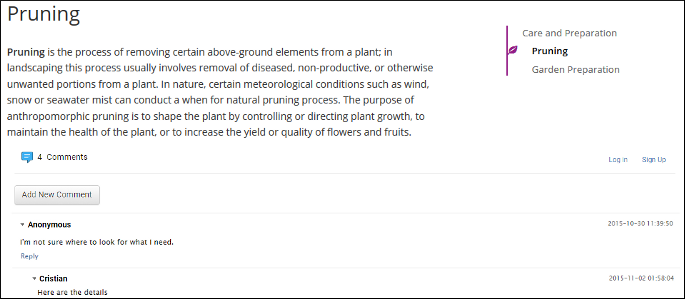
To add a new comment, click the Add New Comment button, or click Reply to add a comment to an existing thread. You can click on the Log in button on the right side of this bar to be authenticated as a user and your user name will be included in any comments that you add. If you do not have a user name, you can click on the Sign Up button to create a new user.
- Your Name - You can use this field to edit the initial name that you used to create your user profile.
- Your email address - You can use this field to edit the initial email address that you used to create your profile.
- You can choose to receive an email in the following situations:
- When a comment is left on a page that you commented on.
- When a comment is left on any topic in the WebHelp Classic system.
- When a reply is left to one of my comments.
- New Password - Allows you to enter a new password for your user
account.Note: The Current Password field from the top of the User Profile is mandatory if you want to save the changes you make.
If you are an administrator, you can manage user information and comments. For more information, see Managing Users and Comments in a Feedback-Enabled System.