
PreferencesEdit online
You can configure Oxygen XML Editor plugin options using the Preferences dialog box.
To open the preferences dialog box, go to go to Window (Eclipse on Mac OSX) and choose .
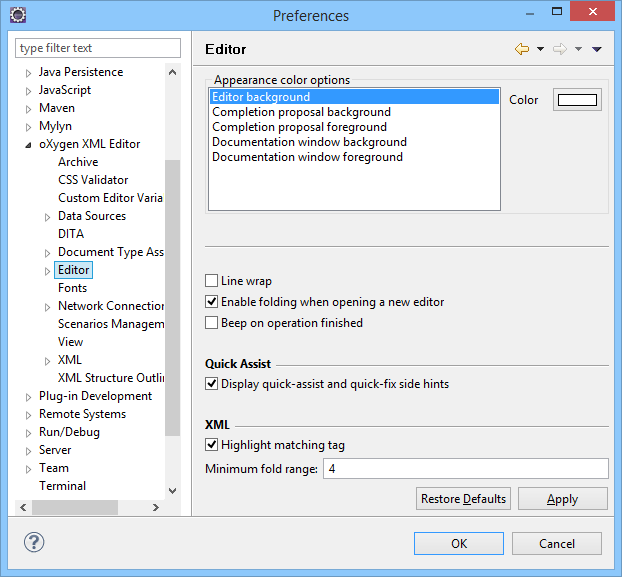
Press  or
F1 for help on any preferences page.
or
F1 for help on any preferences page.
You can restore options to their default values by pressing the Restore Defaults button, available in each preferences page.
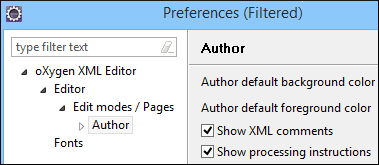
A filtered version of the Preferences dialog box is available by selecting Options from the contextual menu in the editor. It displays an appropriate preferences page according to the context where the action was invoked and filters the tree on the left according to where the preference page is located in the hierarchy.
Preferences Directory Location
- Windows (Vista, 7, 8, 10) - [user_home_directory]\AppData\Roaming\com.oxygenxml
- Windows XP - [user_home_directory]\Application Data\com.oxygenxml
- Mac OS X - [user_home_directory]/Library/Preferences/com.oxygenxml
- Linux/Unix - [user_home_directory]/.com.oxygenxml