Floating Images in DITA Topics for PDF or XHTML OutputEdit online
Oxygen XML Editor plugin provides the possibility of floating an image to the left or right of blocks of content in DITA topics for both PDF and XHTML output.
To float an image, you simply need to set the
outputclass attribute on the
image element. The possible values are:- float-left
- float-right
For example, the following DITA structure will present the image to the right of the
paragraph content in the
output:
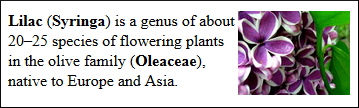
<p><image href="../../images/Lilac.jpg" scale="45" outputclass="float-right"/>
  <b>Lilac</b> (<b>Syringa</b>) is a genus of about 20–25 species of flowering plants
  in the olive family (<b>Oleaceae</b>), native to Europe and Asia.
</p>