
Troubleshooting HTTPSEdit online
When Oxygen XML Developer plugin cannot connect to an HTTPS-capable server, most likely there is
no certificate set in the Java Runtime Environment (JRE) that Oxygen XML Developer plugin
runs into. The following procedure describes how to:
- Export a certificate to a local file using any HTTPS-capable Web browser (for example, Internet Explorer).
- Import the certificate file into the JRE using the keytool that comes bundled with Oxygen XML Developer plugin.
Tip: To make Oxygen XML Developer plugin accept a certificate even if it is
invalid, open the
Preferences dialog box , go to
, and select the Automatically accept a security certificate,
even if invalid option.
Note: This Automatically
accept a security certificate, even if invalid option does not influence the
entire Eclipse workspace. It is limited to URLs that are opened directly by Oxygen XML Developer plugin.
-
Export the certificate into a local file
-
Point your HTTPS-aware Web browser to the repository URL.
If this is your first visit to the repository it will be displayed a security alert stating that the security certificate presented by the server is not trusted.
Figure: Security alert - untrusted certificate 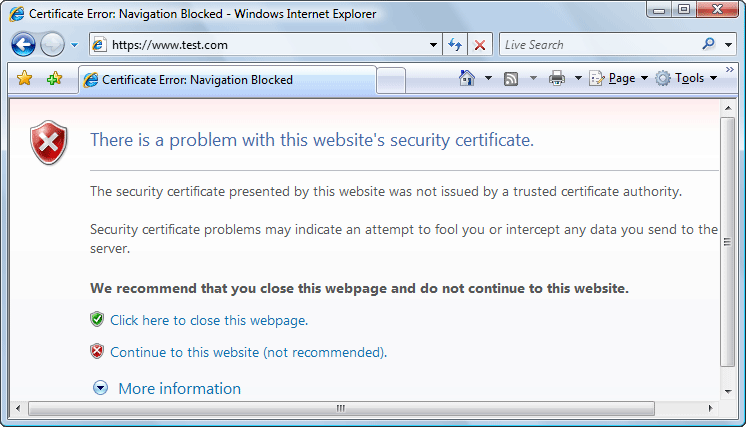
-
Point your HTTPS-aware Web browser to the repository URL.
-
Import the local file into the JRE running Oxygen XML Developer plugin.
- Restart Oxygen XML Developer plugin.