How to Add the Publication Audience to the Custom PDF MetadataEdit online
The audience element indicates the users the publication is addressing. This can be placed
inside a
<topicmeta> element in a <map> as in
the following
example:<map>
...
<topicmeta>
...
<audience type="programmer" job="programming" experiencelevel="expert"/>To collect the @type attribute, add the following in your customization css:
map > *[class ~= "map/topicmeta"] > *[class ~= "topic/audience"] {
    -oxy-pdf-meta-custom: "Audience" attr(type);
}
Note: It is best to use the class selector (such as
*[class ~=
      "map/topicmeta"]
) instead of topicmeta to cover cases where the
elements are specialized (for instance, in a bookmap the bookmeta is a
topicmeta, so your selector will also function for bookmaps, not only
simple maps. Note: The selector begins with
map > to choose the
<topicmeta> that is a direct child of the map, not other
<topicmeta> elements from other <topicref>
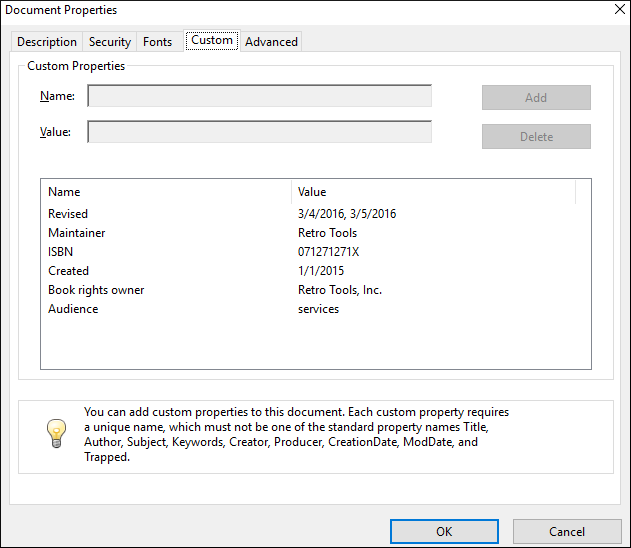
elements.The metadata is displayed in the Custom tab of the Document Properties dialog box from Acrobat Reader: