Troubleshooting HTTPS
When Oxygen XML Developer cannot connect to an HTTPS-capable server, most likely there is
no certificate set in the Java Runtime Environment (JRE) that Oxygen XML Developer
runs into. The following procedure describes how to:
- Export a certificate to a local file using any HTTPS-capable Web browser (for example, Internet Explorer).
- Import the certificate file into the JRE using the keytool tool that comes bundled with Oxygen XML Developer.
Tip: To make Oxygen XML Developer accept a certificate even if it is
invalid, open the
Preferences dialog box , go to
, and select the Automatically accept a security certificate,
even if invalid option.
-
Export the certificate into a local file
-
Point your HTTPS-aware Web browser to the repository URL.
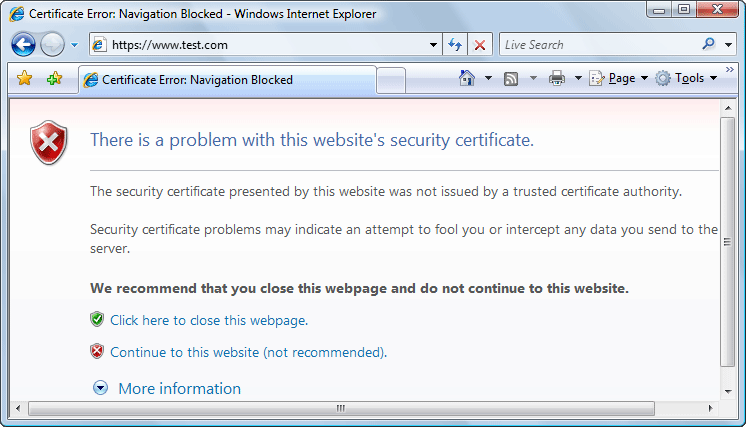
If this is your first visit to the repository it will be displayed a security alert stating that the security certificate presented by the server is not trusted.
Figure: Security alert - untrusted certificate
-
Point your HTTPS-aware Web browser to the repository URL.
-
Import the local file into the JRE running Oxygen XML Developer.
- Restart Oxygen XML Developer.