Defined actions can be grouped into customized menus in the Oxygen XML Editor menu
bar.
-
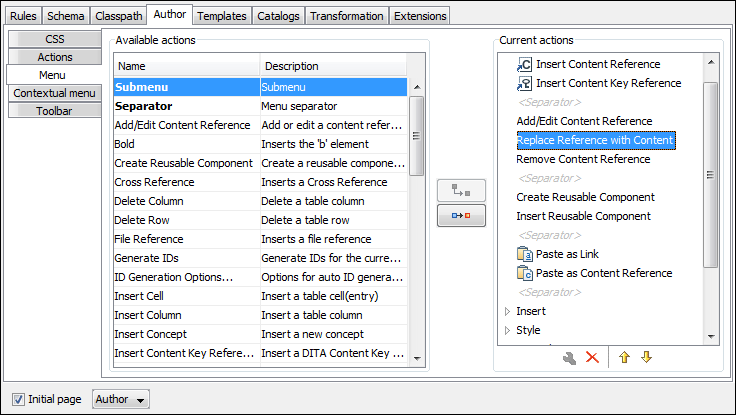
The right side of the panel displays the menu tree with Menu
entry as root. To change its name, click this label to select it, then press the
 Edit button. Enter
SD Framework as name, and D as menu access key.
Edit button. Enter
SD Framework as name, and D as menu access key.
-
Select the Submenu label in the left panel section and the
SD Framework label in the right panel section, then press the
 Add as child button. Change the
submenu name to Table, using the
Edit button.
Add as child button. Change the
submenu name to Table, using the
Edit button.
-
Select the Insert section action in the left panel section and
the Table label in the right panel section, then press the
 Add as sibling button.
-
Now select the Insert table action in the left panel section and
the Table in the right panel section. Press the
Add as child button.
Figure: Configuring the Menu
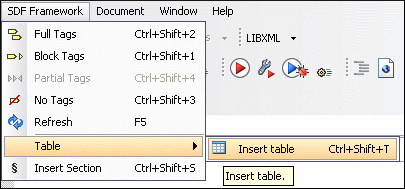
When opening a Simple Documentation Framework test document in Author mode, the menu you created is displayed in the editor menu bar, between the Tools and the Document menus. The upper part of the menu contains generic Author mode actions (common to all document types) and the two actions created previously (with Insert table under the Table submenu).
Figure: Author Mode Menu