To configure Scenarios Management options, open the Preferences dialog box and go to . This allows you to share the global transformation scenarios with other users by exporting them to an external file that can also be imported in this preferences panel.
Figure: The Scenarios Management Preferences Panel
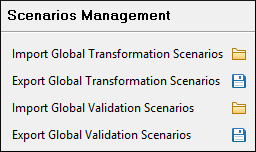
The actions available in this panel are as follows:
- Import Global Transformation Scenarios - Allows you to import all global-level transformation scenarios from a file created with the export scenario action. The names of the imported scenarios will appear in the Configure Transformation Scenario dialog box followed by (import). This way there are no scenario name conflicts.
- Export Global Transformation Scenarios - Allows you to export all global transformation scenarios available in the Configure Transformation Scenario dialog box.
- Import Global Validation Scenarios - Allows you to import all global-level scenarios from a file created with the export scenario action. The names of the imported scenarios will appear in the Configure Validation Scenario dialog box followed by (import). This way there are no scenario name conflicts.
- Export Global Validation Scenarios - Allows you to export all global validation scenarios available in the Configure Validation Scenario dialog box.
