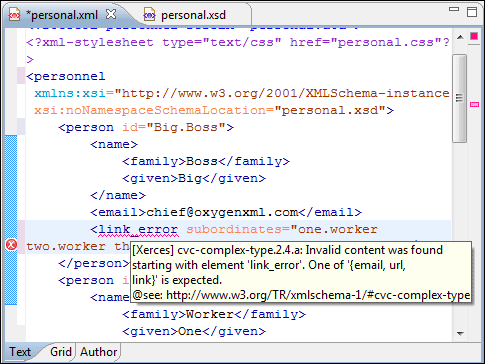
Oxygen XML Developer plugin can be configured to mark validation errors in the document as you are editing. If you enable the Automatic validation option, all validation errors and warnings will be highlighted automatically in the editor panel. The automatic validation starts parsing the document and marking the errors after a configurable delay from the last key typed. Errors are highlighted with underline markers in the main editor panel and small rectangles on the right side ruler of the editor panel, in the same way as for manual validation invoked by the user. Hovering over a validation error presents a tooltip message with more details about the error.
Figure: Automatic Validation on the Edited Document