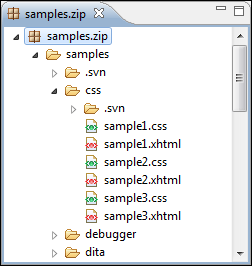
You can navigate archives either by opening them from the Navigator or by using the integration with the Eclipse File System. For the EFS (Eclipse File System) integration you must right click the archive in the Navigator and choose Expand Zip Archive. All the standard Eclipse Navigator actions are available on the mounted archive. If you decide to close the archive you can use the Collapse ZIP Archive action located in the contextual menu for the expanded archive. Any file opened from the archive expanded in the EFS will be closed when the archive in unmounted.
If you open an archive as an Eclipse editor, the archive will be unmounted when the editor is closed.
Important: If a file is not recognized by Oxygen XML Developer plugin as a supported archive
type, you can add it from the Archive preferences
page.
Figure: Browsing an Archive