XQuery is designed to retrieve and interpret XML data from any source, whether it is a
database or document. Data is stored in relational databases but it is often required that the
data be extracted and transformed as XML when interfacing to other components and services.
Also, it is an XPath-based querying language supported by most NXD vendors. To perform a
query, you need an XQuery transformation scenario.
-
Configure an XQuery transformation scenario.
-
Click the
 Configure Transformation Scenario toolbar
button or go to menu .
Configure Transformation Scenario toolbar
button or go to menu .
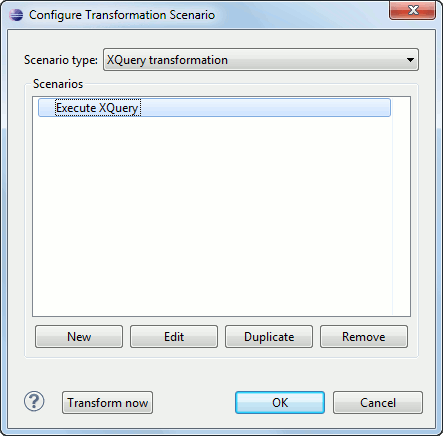
The Configure Transformation Scenario dialog box is opened.
-
Click the New button in the dialog box.
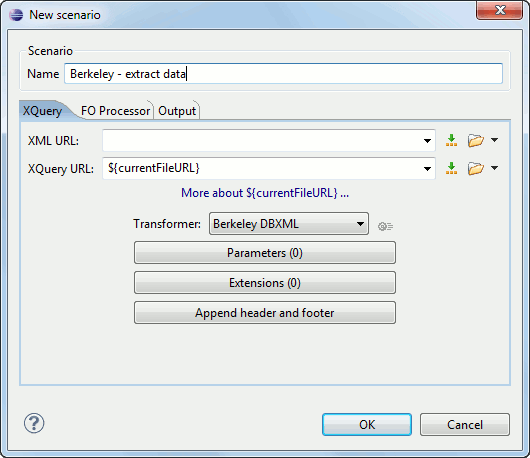
The dialog box for editing an XQuery scenario is opened.
Figure: Edit Scenario Dialog Box
Once the scenario is associated with the XQuery file, the query can include calls to specific XQuery functions that are implemented by that engine. The available functions depend on the target database engine selected in the scenario. For example, for eXist and Berkeley DB XML, the Content Completion Assistant lists the functions supported by that database engine. This is useful for only inserting calls to the supported functions (standard XQuery functions or extension ones) into the query .Note: An XQuery transformation is executed against a Berkeley DB XML server as a transaction using the query transaction support of the server. -
Click the
