Printing is supported in Text and Grid modes. The Print(Ctrl P (Meta P on OS X)) action that is available from File menu displays the Page Setup dialog box, used for defining the page size and orientation properties for printing.
A Print Preview action is also available in the menu. It allows you to manage the format of the printed document.
Figure: Print Preview Dialog Box
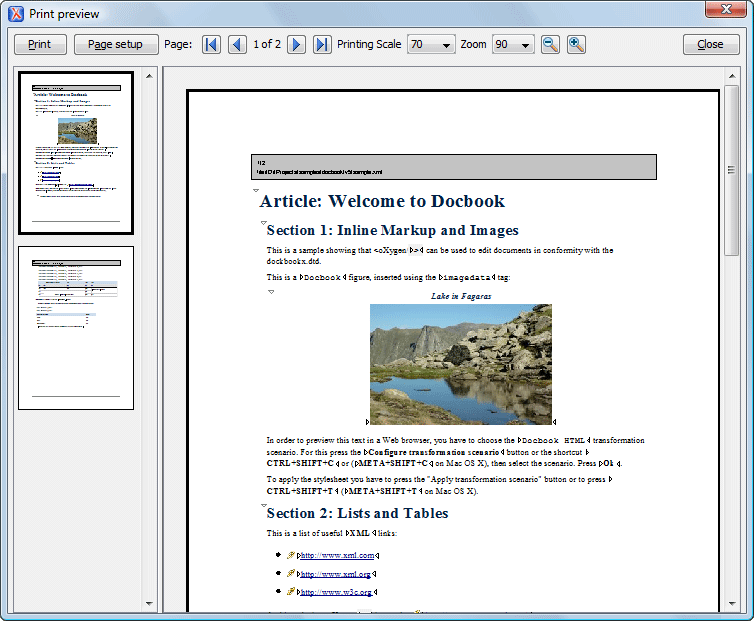
The main window is split in three sections:
- Preview area - Displays the formatted document page as it will appear on printed paper.
- Left stripe - The left-side stripe that displays a list of thumbnail pages. Clicking any of them displays the page content in the main preview area.
- Toolbar - The toolbar area at the top that contains controls for printing, page settings, page navigation, print scaling, and zoom.
