Oxygen XML Developer present a list of all the components of the JavaScript document you are editing in the Outline view. To open the Outline view, go to .
Figure: The JavaScript Outline View
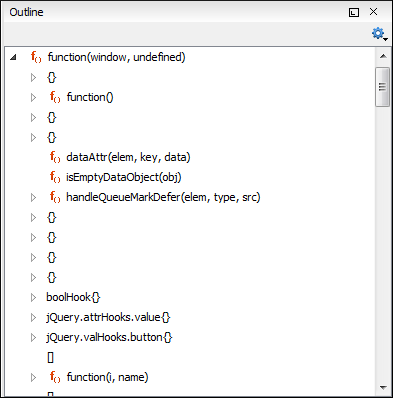
The following icons decorate the elements in the Outline view
depending on their type:
 - function
 - variable
 - object
 - property
 - method
The contextual menu of the JavaScript Outline view contains the usual
 Cut,
Cut,
 Copy,
Copy,
 Paste, and
 Delete actions. From the
settings menu, you can enable the Update selection on cursor move option to synchronize the
Outline view with the editing area.
Delete actions. From the
settings menu, you can enable the Update selection on cursor move option to synchronize the
Outline view with the editing area.
