Register a Named-User License

To register a named-user license on a machine owned by the Named User:

  1. Save a backup copy of the message containing the new license key.
  2. Start Oxygen XML Developer.
    If this is a new install of Oxygen XML Developer, the registration dialog box is displayed. If the registration dialog box is not displayed, go to Help > Register.

    Figure: License Registration Dialog Box
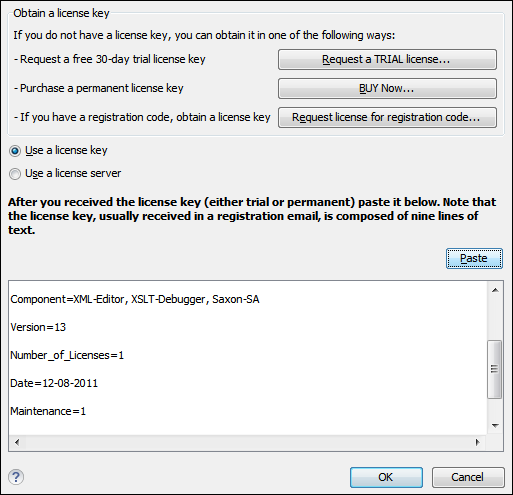
  3. Select Use a license key as licensing method.
  4. Paste the license text into the registration dialog box.
  5. Press OK.
Parent topic: Obtaining and Registering a License Key for Oxygen XML Developer Previous topic: Obtaining a License Next topic: Registering a Floating License