To configure a connection to a MySQL server, follow these steps:
-
Open the
Preferences dialog box and go to .
-
In the Connections panel, click the
 New button.
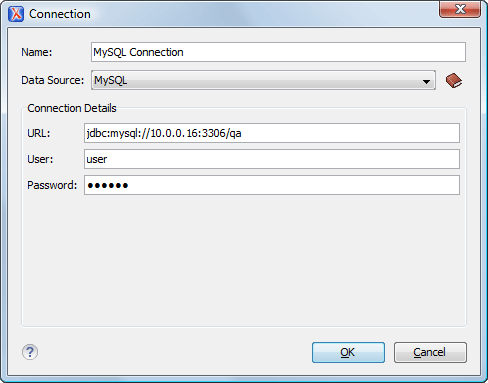
The dialog box for configuring a database connection is displayed.
Figure: The Connection Configuration Dialog Box
-
Enter a unique name for the connection.
-
Select the MySQL data source in the Data Source drop-down
list.
-
Enter the connection details.
-
Enter the URL of the MySQL server.
-
Enter the user name for the connection to the MySQL server.
-
Enter the password for the connection to the MySQL server.
-
Click the OK button to finish the configuration of the database
connection.
