The Check Spelling in Files action allows you to check the spelling on
multiple local or remote documents. This action is available in:
- The menu.
- The contextual menu of the Project view.
- The contextual menu of the DITA Maps Manager view.
Figure: Check Spelling in Files Dialog Box
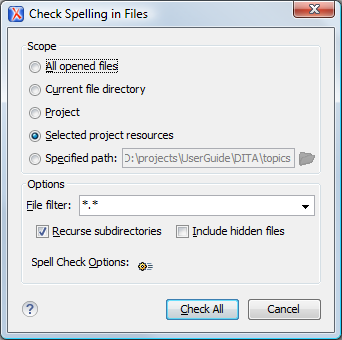
The following scopes are available:
- All opened files - The spell check is performed in all opened files.
- Directory of the current file - All the files in the folder of the current edited file.
- Project files - All files from the current project.
- Selected project files - The selected files from the current project.
- Specified path - Checks the spelling in the files located at a path that you specify.
The Options section includes the following options:
- File filter - Allow you to filter the files from the selected scope.
- Recurse subdirectories - When enabled, the spell check is performed recursively for the specified scope. The one exception is that this option is ignored if the scope is set to All opened files.
- Include hidden files - When enabled, the spell check is also performed in the hidden files.
- Spell Check Options - The spell check processor uses the options available in the Spell Check preferences panel .
When you
invoke the Check Spelling in Files action in the DITA Maps
Manager view, a different dialog box is displayed: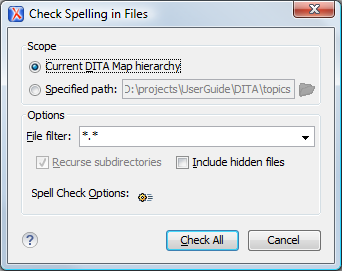
Figure: Check Spelling in Files Dialog Box (Invoked from the DITA Maps Manager View)
The following scopes are available:
- Current DITA Map hierarchy - All the files referenced in the currently selected DITA map, opened in the DITA Maps Manager view
- Specified path - checks the spelling in the files located at a path that you specify